
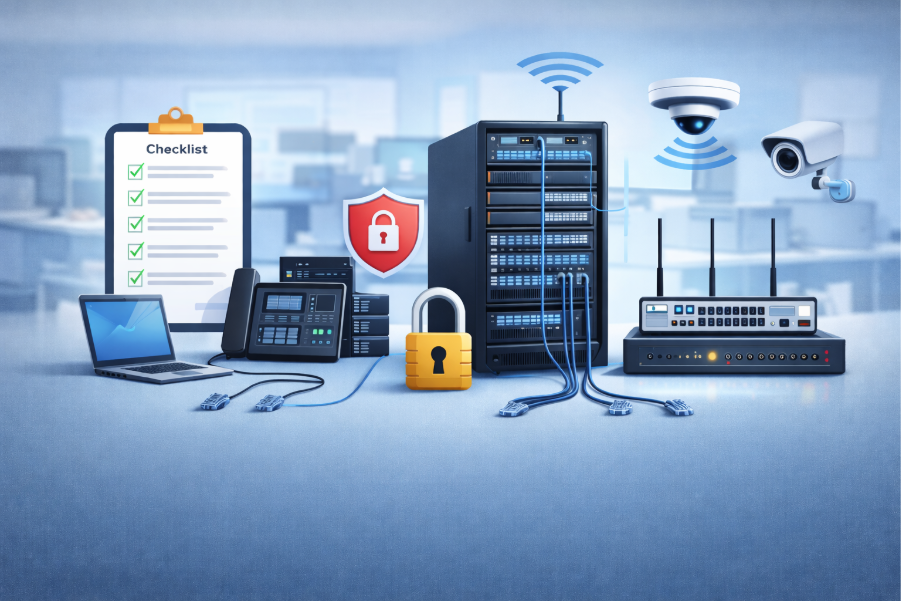
Setting up a reliable and secure network is one of the most important steps for any new business. A well-designed network supports daily operations, improves productivity, and ensures data protection. Companies in Newburyport, especially those operating in older buildings, must pay close attention to infrastructure challenges such as thick walls and limited cabling options.
Axis Computer Networks understands that new businesses need a structured approach to building a network that is both scalable and secure. From planning to execution, every step plays a role in long-term performance. A properly configured network reduces downtime, enhances communication, and supports modern applications that businesses rely on every day.
Network Planning and Coverage Assessment
Before installing any hardware, businesses must carefully evaluate their office layout and connectivity needs. This step ensures that the network can handle current demands while allowing room for future growth. Proper planning minimizes issues like weak signals and network congestion.
Understanding the physical space is critical, especially in buildings with structural limitations. Mapping coverage areas helps identify potential dead zones and ensures consistent connectivity across all workspaces.
- Map office layout to identify Wi-Fi dead zones
- Evaluate wall materials that may block signals
- Count all connected devices including phones and cameras
- Assess bandwidth needs for video calls and cloud apps
- Plan placement of routers and access points strategically
Choosing the Right Network Hardware Setup
Selecting the right hardware is essential for building a stable and secure network. Business-grade equipment provides better performance and security compared to consumer-grade devices. Investing in quality hardware reduces long-term issues and maintenance costs.
Organizations should focus on scalability and compatibility when choosing equipment. The right combination of routers, switches, and access points ensures seamless connectivity and efficient data flow.
- Use business-grade routers with advanced security features
- Install managed switches for better control and monitoring
- Choose PoE switches to power devices like cameras and APs
- Deploy ceiling-mounted access points for optimal coverage
- Use secure racks for organized hardware storage
Structured Cabling and Installation Best Practices
A strong network foundation depends on proper cabling and installation. Poorly managed cables can lead to performance issues and maintenance challenges. Structured cabling ensures reliability and simplifies future upgrades. When combined with managed it services for businesses, organizations can further enhance network performance through ongoing monitoring and expert support.
Businesses in Newburyport often require updated cabling systems due to older infrastructure. Professional installation helps avoid interference and ensures consistent performance across all devices.
- Use CAT6 cabling for high-speed data transfer
- Organize cables using labeled management systems
- Avoid interference by separating power and data cables
- Ensure proper grounding for safety and performance
- Plan for future expansion during installation
Firewall Setup and Network Security Essentials
Security is a top priority when setting up a business network. A properly configured firewall protects against cyber threats and unauthorized access. Businesses must implement strong security measures from the beginning.
Network security should include encryption, access controls, and regular updates. These measures help safeguard sensitive data and maintain compliance with industry standards.
- Install a business-grade firewall for threat protection
- Configure WPA3 encryption for wireless networks
- Set up separate networks for staff and guests
- Change default passwords immediately
- Enable automatic firmware updates for all devices
VLANs and Access Control Configuration Steps
Segmenting a network using VLANs improves security and performance. It allows businesses to isolate different types of traffic, reducing risks and improving efficiency. This is especially important for organizations handling sensitive data.
Access control ensures that only authorized users can access specific resources. Proper configuration helps prevent data breaches and maintains operational integrity.
- Create VLANs for guest, staff, and IoT devices
- Isolate POS systems from general network traffic
- Assign user permissions based on roles
- Monitor network activity for unusual behavior
- Implement secure login protocols for all users
Remote Access and VPN Setup Essentials
Modern businesses often require remote access to their network. A secure VPN allows employees to connect safely from outside the office. This is essential for flexibility and business continuity.
Remote access solutions must be configured carefully to prevent security vulnerabilities. Businesses should prioritize encryption and user authentication.
- Set up VPN for secure remote connections
- Use multi-factor authentication for added security
- Limit access based on user roles and needs
- Monitor remote connections regularly
- Ensure compatibility with mobile devices
Ongoing Monitoring and Maintenance Practices
A network requires continuous monitoring and maintenance to perform efficiently. Regular updates and proactive management help prevent issues before they impact operations.
Businesses should implement systems that provide real-time insights into network performance. This allows quick identification and resolution of problems.
- Use cloud-based tools for network monitoring
- Schedule regular firmware and software updates
- Perform routine security checks and audits
- Maintain backup systems for data protection
- Document network configurations for troubleshooting
Final Testing and Performance Validation Steps
After installation, businesses must test the network to ensure it meets performance expectations. This step verifies that all components are functioning correctly and efficiently.
Testing helps identify potential issues before the network is fully operational. It also ensures that the system can handle high-demand scenarios.
- Conduct stress tests with multiple devices connected
- Verify speed and connectivity across all areas
- Test guest network isolation and security
- Check VPN functionality for remote access
- Confirm backup systems are working properly
Role of IT Support in Network Success
Professional IT support for small business plays a critical role in ensuring a successful network setup. Experts provide guidance, installation, and ongoing management to keep systems running smoothly.
Working with a business IT support provider ensures that businesses have access to technical expertise and support when needed. This reduces downtime and improves overall efficiency.
- Expert guidance for network design and implementation
- Ongoing monitoring and troubleshooting support
- Improved security and compliance management
- Access to advanced tools and technologies
- Scalable solutions for growing businesses
Managed IT Services for Long-Term Growth
Businesses benefit from managed IT services by outsourcing network management and maintenance. This approach allows companies to focus on their core operations while experts handle technical aspects.
Managed services provide consistent performance and reduce the burden on internal teams. They also ensure that networks remain secure and up to date.
- Proactive monitoring and issue resolution
- Regular updates and maintenance services
- Cost-effective alternative to in-house IT teams
- Enhanced security and data protection
- Scalable solutions for future expansion
Internal Resource for Deeper Understanding
For a more detailed guide on IT services and support, businesses can explore this resource:
https://axisdev.8wavescreative.com/it-support-services-in-newburyport-ma-small-business-guide/
This guide provides additional insights about building and maintaining a strong IT infrastructure tailored to business needs.
Reframed Overview for Smart Network Setup
A secure and efficient network setup requires careful planning, high-quality hardware, and strong security measures. Businesses should assess coverage needs, identify device loads, and use advanced firewalls and routers. Implementing secure wireless protocols and separating networks for different users enhances protection.
Proper installation includes organized cabling, strategic placement of access points, and the use of PoE switches for reliability. Continuous monitoring and regular updates ensure long-term performance. By following a structured checklist, businesses can build a network that supports growth and operational efficiency.
Conclusion and Final Recommendations
Building a reliable network is a foundational step for any new business. From planning and hardware selection to security and maintenance, each stage requires careful attention to detail. A well-designed network not only improves efficiency but also protects valuable business data.
Axis Computer Networks provides expert solutions to help businesses set up and maintain secure and scalable networks tailored to their needs. With the right strategy and support, companies can ensure long-term success and seamless operations. Contact us today to get started with your network setup and ensure your business is equipped for growth.
Frequently Asked Questions