Technology plays a critical role in nearly every business operation. Employees rely on computers, business applications, cloud platforms, networks, and communication systems to complete their daily work. When these systems experience problems, productivity can decline, customer service can suffer, and important business operations may come to a halt.
Many small and medium-sized businesses do not have the resources or need to maintain a large internal technology department. Instead, they work with managed IT service providers that handle ongoing technology management, maintenance, security, and support.
Unlike traditional break-fix support that responds only after something goes wrong, Axis Computer Networks provides a proactive approach to business technology. Through continuous monitoring, routine maintenance, security management, and expert technical assistance, businesses can reduce downtime, improve system reliability, and better protect their data and applications.
Key Takeaways
- Managed IT service providers handle ongoing technology management and support for businesses.
- Common services include network management, cybersecurity, backup, disaster recovery, cloud support, and technical assistance.
- Proactive monitoring helps identify potential problems before they cause significant disruption.
- The right provider can give businesses access to experienced technology professionals without the cost of building a large internal team.
- Businesses should evaluate experience, security practices, response times, service coverage, pricing, and scalability before choosing a provider.
What Are Managed IT Service Providers?
Managed IT service providers are companies that manage and support a business’s technology environment on an ongoing basis. Instead of waiting for employees to report a problem, these providers monitor systems, identify potential risks, perform routine maintenance, and address issues before they become serious.
Modern businesses depend on technology for communication, data storage, customer management, accounting, collaboration, and daily operations. Even a relatively small technical issue can result in lost productivity or create security and operational risks. Services can also include IT audits, IT consulting, software updates, network monitoring, data protection, and technical support. This gives businesses access to specialized knowledge while allowing employees to focus on their primary responsibilities.
Common technology environments supported by these providers include:
- Employee computers and laptops
- Business servers
- Computer networks
- Cloud platforms
- Business software
- Data backup systems
- Cybersecurity solutions
- Wireless networks
The exact combination of services depends on the company’s size, industry, infrastructure, and business objectives. A small company may need help desk support and cybersecurity management, while a growing organization may require more advanced cloud, network, compliance, and disaster recovery support.
What Services Do Managed IT Service Providers Offer?
A technology provider can support many different parts of a company’s IT environment. Some organizations outsource most of their technology management, while others use an outside provider to supplement an existing internal team.
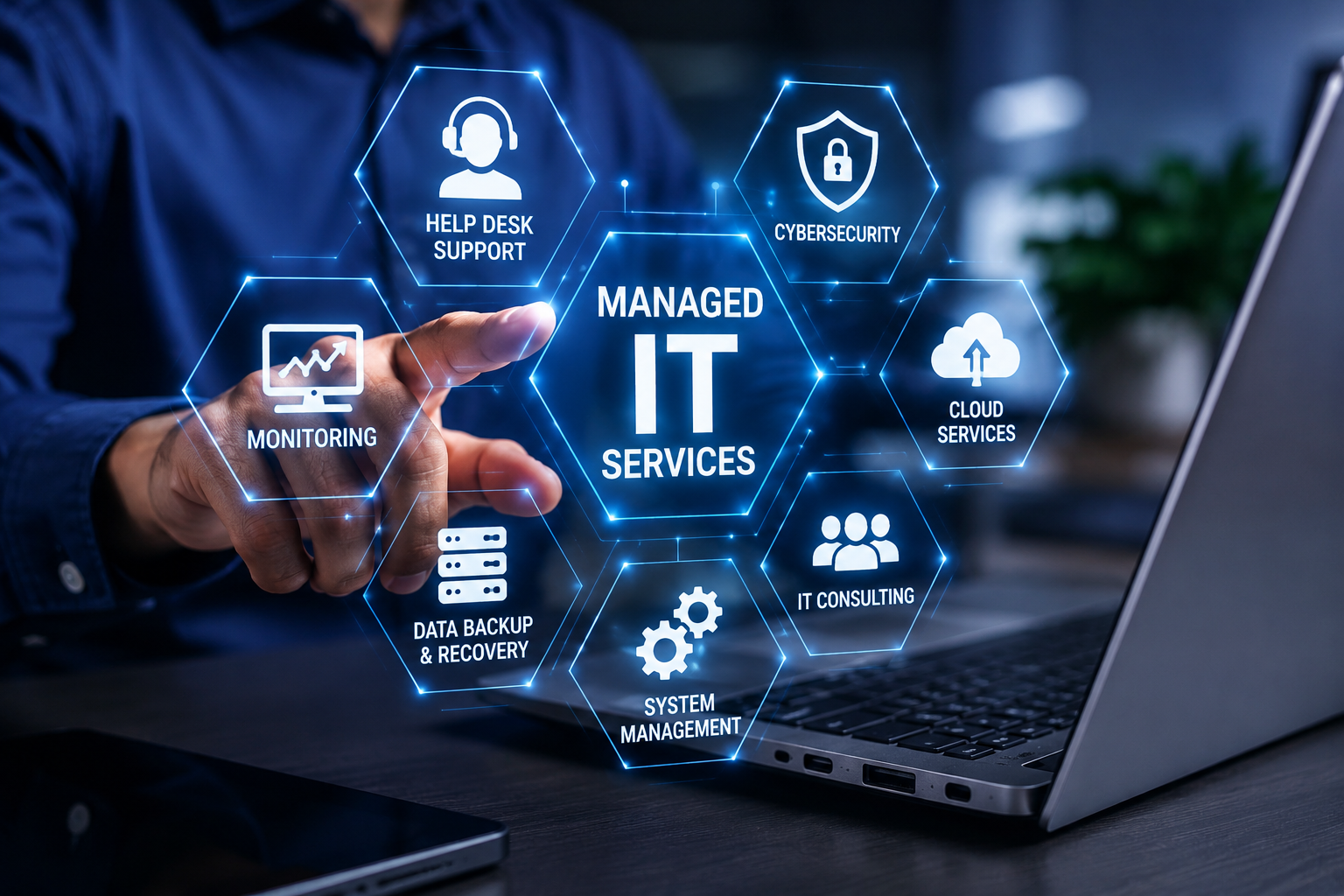
Typical services may include:
- Continuous system monitoring
- Help desk and technical support
- Network management
- Cybersecurity monitoring
- Data backup management
- Disaster recovery planning
- Software and patch management
- Cloud support
- Remote technical assistance
- IT consulting
- Technology planning
The goal is not simply to repair computers when they stop working. A good provider works to maintain a stable technology environment, identify potential risks, and help the business make better technology decisions.
How Proactive Monitoring Helps Businesses
One of the most valuable aspects of working with an IT support provider is proactive monitoring. Traditional technical support often follows a reactive model. An employee notices a problem, reports it to the support team, and waits for someone to investigate. By that point, the issue may already be affecting productivity.
Proactive monitoring takes a different approach. Technology professionals continuously review important systems and look for warning signs that could indicate a developing problem.
Benefits of Proactive Monitoring
Proactive monitoring can help businesses:
- Identify technical issues earlier
- Reduce unexpected downtime
- Improve system performance
- Support preventive maintenance
- Gain better visibility into their technology environment
- Minimize disruptions to employees
This preventive approach allows employees to spend more time serving customers and completing important work instead of dealing with recurring technical problems.
Why Businesses Choose Managed IT Service Providers
Technology is now closely connected to almost every part of business operations. Employees may depend on email, cloud applications, customer databases, accounting platforms, communication tools, and internal networks throughout the day.
When these systems are unreliable, even routine tasks can become difficult. An experienced technology partner helps reduce these risks by providing ongoing support and professional oversight.
Access to Experienced Technology Professionals
Hiring several full-time specialists can be expensive, particularly for smaller organizations. An outside provider can give businesses access to professionals with experience in networking, cybersecurity, cloud platforms, infrastructure, and technical support without requiring multiple internal hires.
This can be particularly useful when a company needs expertise that its existing employees do not have.
More Predictable Technology Costs
Maintaining an internal technology department can involve salaries, training, software, monitoring tools, security platforms, and hardware expenses.
Many providers use recurring service agreements that make technology support costs easier to plan. Instead of dealing with frequent emergency repair expenses, businesses can budget for ongoing technical support and maintenance.
Improved Employee Productivity
Technology problems can quickly become productivity problems. A slow network, unavailable application, malfunctioning computer, or recurring login issue can prevent employees from completing their work efficiently.
Ongoing monitoring and responsive support help resolve these issues more quickly and can prevent some problems from occurring in the first place.
Stronger Cybersecurity
Cybersecurity is an important part of modern business technology. Organizations face threats such as phishing, malware, ransomware, stolen credentials, and unauthorized access. A qualified provider can help strengthen an organization’s security posture through monitoring, software updates, access controls, security assessments, backup management, and other protective measures. Reliable data protection is also essential, which is why businesses should consider solutions such as cloud backup to help protect important files and support recovery when data is lost, damaged, or compromised.
However, cybersecurity should not be treated as a one-time installation. Security requires ongoing attention as threats, software, devices, and business requirements change.
Better Long-Term Technology Planning
Technology decisions should support business objectives rather than simply solve immediate problems.
An experienced IT consulting partner can help organizations evaluate new software, plan infrastructure upgrades, improve cloud environments, strengthen security, and prepare for future growth.
This type of guidance can be particularly valuable when a business is expanding, adding employees, opening another location, or moving more operations to the cloud.
Managed IT Services vs. Break-Fix Support
Businesses have traditionally relied on break-fix support, meaning they contact a technology provider only after a problem occurs. Although this approach can resolve immediate issues, it often allows smaller problems to develop into larger and more expensive ones.
Unexpected downtime, emergency repairs, and lost employee productivity can become common when technology is managed only when something goes wrong.
A proactive service model takes a different approach. Instead of waiting for systems to fail, the provider continuously monitors technology, performs routine maintenance, installs updates, and addresses potential risks before they significantly affect operations.
The main difference is the approach to technology management. Break-fix support concentrates on responding to existing problems, while ongoing IT management focuses on maintaining reliable systems and preventing avoidable issues.
| Break-Fix Support | Ongoing IT Management |
|---|---|
| Responds after problems occur | Identifies potential problems early |
| Focuses on emergency repairs | Focuses on monitoring and maintenance |
| Costs may be unpredictable | Service costs can be easier to budget |
| Limited long-term planning | Includes ongoing technology planning |
| Primarily reactive | Primarily proactive |
For businesses that depend heavily on technology, preventing problems can often be more valuable than simply repairing them after they occur.
How to Choose the Right Managed IT Service Provider
Choosing a managed IT service provider is an important business decision. The provider may have access to company systems, networks, employee devices, applications, and sensitive information, so experience and trust should be major considerations.
Before comparing providers, start by understanding your own technology requirements. Identify the systems your employees depend on, the problems your business experiences most frequently, and the areas where your existing team needs additional support.
Once you understand your requirements, consider the following factors.
Experience and Technical Expertise
Look for a provider with experience supporting businesses similar to yours. Industry experience can help a provider understand common operational requirements, security concerns, compliance considerations, and technology challenges.
It is also useful to evaluate whether the provider has expertise across the areas your business needs, such as networking, cloud services, cybersecurity, data backup, and technical support.
Range of Services
A provider should be able to support your current requirements while also accommodating future needs.
Consider whether the company provides services such as network management, cybersecurity, cloud support, backup and recovery, help desk assistance, monitoring, and IT consulting.
Working with one experienced provider for several technology needs can also simplify communication and accountability.
Response Times and Support Availability
Technical problems do not always occur during convenient business hours. A significant outage can affect employees and customers within minutes.
Ask potential providers how support requests are handled, how critical issues are prioritized, and how quickly technicians typically respond. If your business operates outside traditional office hours, find out whether after-hours or emergency assistance is available.
Clear service-level expectations can help prevent misunderstandings later.
Security Practices
Because technology providers may have access to sensitive business systems and data, security should be carefully evaluated.
Ask how the provider manages administrative access, protects credentials, monitors systems, handles security incidents, and keeps software and security tools updated.
You should also understand how backups are managed and how the provider would assist your business following a security incident or data loss event.
Pricing and Contract Structure
Cost is important, but the lowest price is not always the best value.
Compare what is included in each provider’s agreement. Some providers may include monitoring, maintenance, help desk support, and security management as part of a recurring plan, while others may charge separately for certain services.
Make sure you understand the pricing structure, contract terms, included support, additional charges, and cancellation requirements before signing an agreement.
Scalability
Your technology needs may change as your business grows.
A provider should be able to support additional employees, devices, locations, applications, and cloud services without requiring you to completely change providers.
Choosing a technology partner that can grow with your organization can make future transitions easier and reduce unnecessary disruption.
Conclusion
Managed IT service providers help businesses maintain reliable, secure, and efficient technology through ongoing monitoring, maintenance, support, cybersecurity, and strategic guidance.
Instead of waiting for systems to fail, businesses can take a proactive approach that identifies potential problems earlier and helps reduce unnecessary downtime. This can improve employee productivity, strengthen security, make technology costs easier to manage, and provide access to specialized expertise.
Contact Axis Computer Networks today to discuss your technology requirements and learn how professional IT support can help keep your business secure, productive, and running smoothly.